

We need technical support companies to help us solve complex issues with our devices and applications. We do our best to stay safe on our devices, but often there are technical elements that we aren’t trained to handle. Relying on tech support is necessary to get us back in working order.
However, scammers and hackers will use our dependence on tech support to get their foot in the door. By pretending to be tech support and using scare tactics, they trick their victims into installing a virus or paying money.
What are some of the tactics scammers use to do this? How can you avoid becoming the next victim of a tech support scam?
What a Tech Support Scam Looks Like
Most of these tech support scams fall into two categories: cold calling and pop-up messages.
With the cold call method, the scammer will randomly call their target and pretend to be a representative from a well-known company, like Microsoft. Using scare tactics, the scammer may tell their target a virus has been detected on their device, and they must take certain steps right away to fix it.
These steps may involve the scammer remoting into the device or walking the target through the steps to “fix” the issue on their own. They may seem helpful, but this is a common scam designed to infect your device with a real virus, so that they can either steal your data or charge you a fee to remove the infection.
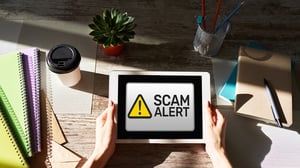
Another common tech support scam is the pop-up message warning of a virus detected on the device. The screen locks up, a red page or notification pop-up appears, and says “Your device is infected!”. This is meant to surprise you and cause panic. The message may also describe how to fix the issue, which typically involves calling the “support number” provided. Don’t call that number!
These pop ups are typically fake, meant to trick you into acting quickly and irrationally. Calling the number will connect you with a fake representative. Similar to the first scam, this “tech support rep” will either plant a virus on your computer themselves or trick you into doing for them and charging a fee to remove it.
How do you avoid these scams?
Here are some tips to ensure that you are not the next victim of a tech support scam.
- Legitimate tech support companies will never contact your directly. Be extremely cautious if you receive a direct message, pop-up, phone call, or email aimed at you and your specific device.
- Never allow anyone to remotely access your computer unless you are absolutely sure who they are. If someone asks for remote access to your computer, verify the identity of the requesting individual or party before continuing. If you have any suspicions, contact your supervisor prior to allowing remote access. Once again, a legitimate tech support company will not contact you directly without anyone else knowing about it first.
- Never call the number on a pop-up warning message. A real virus alert will never give you a number to call. If you receive a suspicious phone call or pop-up message regarding tech support, tell your supervisor and internal IT support immediately.
We need tech support. It’s critical to getting us back on our feet when our devices are down, when applications are unavailable, or when we truly have encountered a virus or malware. But these are also times when we are likely to be upset, embarrassed, or easily panicked. Scammers and hackers will try to take advantage of our need for tech support and our emotional vulnerability. Don’t let them fool you!
Interested in ongoing training that educates your employees about threats like tech support scams, phishing attempts, social engineering, and more? Check out OXEN's Breach Prevention Services and Free Security Awareness Training.[oxenRule side="left"][recent_posts style="default" category="all" columns="3" title_labels="true" order="DESC" orderby="date" posts_per_page="3"]