



IT issues are more than just an inconvenience. Forbes reports the average cost of IT downtime is $9,000 per minute, with the impact growing as delays affect operations, customer experience, and revenue.
When support is slow, internal teams lose hours they can't get back. Projects get delayed. Employees are stuck in place.
Ryan Pieken, Sr. Consultant, CIO, CISO Services at OXEN Technology, says, "Every minute you're waiting on IT to catch up, you're risking revenue, reputation, and retention."
The good news is that you don't have to wait anymore. If your business relies on technology daily, the benefits of remote security support are too significant to ignore.
Stop Letting Security Issues Drag Down Productivity!Get expert remote support with built-in monitoring, compliance, and security tools. |
Faster Response Means Less Downtime
Speed is the first thing most businesses notice when switching to remote security support. Traditional support models often depend on technician availability and travel time.
That can add hours or even days to resolution times. In fast-paced environments, delays directly affect productivity and client delivery.
Remote support removes those delays. Technicians can start working on your issue within minutes of submitting a request.
Support teams use remote access tools to log into systems, diagnose problems, and apply fixes quickly, without needing to come to your building.
Fast resolution times help:
- Keep your team productive: Staff can get back to work without waiting for onsite visits. Remote resolution often begins within 30 minutes of issue submission, reducing idle time and dependency on workarounds.
- Minimize client impact: If your staff interacts with customers, any delay on their end can create a chain reaction. Faster support helps avoid customer-facing slowdowns.
- Protect internal systems: Many remote teams also monitor systems in real time, identifying slowdowns, alerts, or risks before they affect users.
Combined, these advantages create a more responsive IT environment that supports continuous work, rather than interrupting it.
24/7 Help Desk Coverage Without the Overhead
Most IT departments operate within business hours. Unfortunately, technology issues don't always follow a schedule.
Staff working remotely or across time zones may need support outside the standard 9-to-5 window. When problems happen overnight or on weekends, waiting for the next business day can delay recovery or cause further issues.
Remote IT support solves this by offering round-the-clock helpdesk services. That means no matter when something goes wrong, whether it's a login issue at midnight or a system error on Sunday, someone is available to assist.
This coverage offers key advantages:
- Immediate support across shifts and time zones: If your team operates across regions or on a hybrid schedule, every employee gets the same level of IT access, irrespective of their hours.
- Reduced downtime during non-business hours: Remote monitoring tools alert support teams to potential issues before you even notice them. This allows overnight interventions to prevent workday disruptions.
- Improved disaster response: When a hardware failure, outage, or cybersecurity event happens, remote teams can begin troubleshooting immediately, not after the weekend.
You don't need a full internal night shift. Most remote helpdesk models are built to be available 24/7, offering reliability without requiring extra staffing.
Lower Security Costs Without Cutting Corners
Hiring full-time cybersecurity professionals can be expensive. Beyond salaries, there are benefits, overhead costs, ongoing training, and unexpected expenses tied to employee turnover or skill gaps.
Smaller businesses may not be able to justify these costs, but they still need professional IT support.
Remote IT support offers a different approach. With structured pricing based on users or services, businesses only pay for what they need.
Monthly support packages often include device monitoring, software updates, security tools, and troubleshooting, all bundled into a predictable budget.
This creates a smarter financial model:
- Fixed monthly pricing reduces guesswork. You know what you're paying and what services are included, which helps with long-term planning.
- No travel or emergency fees lower incident response costs. Most support is handled remotely, so there's no waiting or paying for an onsite visit.
- No recruiting or onboarding expenses eliminate the need to hire full-time IT staff. Remote providers bring their team of trained professionals.
You don't have to compromise quality to save money. With remote support, you gain high-value coverage designed to fit leaner budgets.
| More resources you might like: |
Expertise When and Where You Need It
Hiring skilled cybersecurity professionals is difficult. The demand for experienced talent is high, and businesses often struggle to find candidates with the right mix of technical ability and availability.
Even when you hire a qualified technician, they may not have experience in all the systems your business relies on.
Remote support opens access to wider expertise. Support teams often consist of specialists with certifications in servers, networking, cloud platforms, security, compliance, and more. This collective knowledge ensures experts handle your issues.
Benefits of this structure include:
- Wider skill coverage: You don't need to rely on one person for all tech questions. With remote support, your ticket is routed to someone with the right expertise to solve it.
- Reduced turnover risk: You're not affected if one technician leaves or is unavailable. The support provider handles internal staffing, ensuring service remains consistent.
- Support for complex issues: Some problems require high-level analysis, especially those tied to performance, backups, compliance, or multi-site networking. Remote providers can address these issues without delay.
This flexible access to specialized knowledge improves your security, efficiency, and problem resolution across the board.
Monitoring and Prevention as a Built-In Advantage
One of the most overlooked remote security support benefits is the shift from reactive to proactive support. Traditional models often focus on solving problems after they happen. Remote support includes real-time monitoring that helps identify risks before they evolve to full-scale issues.
Support teams use automated tools to monitor system health, flag unusual activity, and verify updates. Many issues are corrected automatically or escalated immediately, often before users report them.
This monitoring supports:
- Server performance and uptime: Teams are alerted to memory spikes, service failures, or storage issues before they affect your staff.
- Software updates and patches: Systems are kept secure with regular updates, reducing exposure to vulnerabilities.
- Security alerts: Threats such as unusual login activity or attempted access violations are flagged and contained early.
Proactive service means more than fast fixes; it means stability. By preventing issues in the first place, businesses can reduce unplanned outages and avoid reputational damage.
Scales as Your Business Grows
As your business grows, your security needs to improve. You'll have more users, more devices, and more systems to maintain. In-house teams may struggle to keep up, especially if the business adds locations or adds to its remote work programs.
Remote support can scale up without delays or hiring. As you grow, you simply add more devices or users to your service plan. There's no need to train new technicians or restructure your internal operations.
Here's how scalability benefits your team:
- Smooth onboarding for new employees: New users can be added with full access to support and monitoring from day one, without burdening your HR or IT staff.
- Support for multiple locations: Whether your team is local, distributed, or hybrid, support remains consistent across all endpoints.
- Flexible tools and updates: Software, security tools, and service levels can be upgraded or adjusted without disrupting existing users.
Growth doesn't need to create pressure on your IT infrastructure. Remote support helps maintain quality service, irrespective of how big your operations become.
Business Continuity and Compliance
Business continuity and regulatory compliance are major concerns, particularly in industries such as finance, healthcare, and infrastructure. When systems fail or security is compromised, the risk isn't just downtime; it's penalties, lost data, and legal consequences.
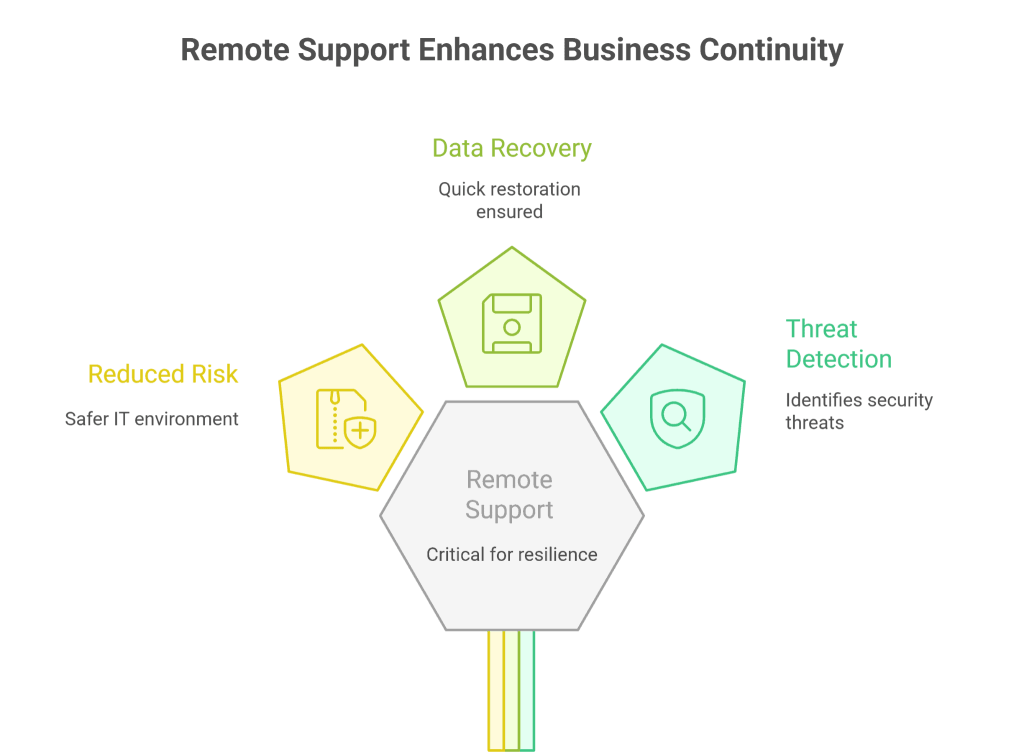
Remote support plays a critical role in business continuity. Services like backup and disaster recovery, endpoint detection, and real-time monitoring all contribute to long-term resilience.
You also get access to advanced tools like:
- Managed Detection and Response (MDR): Identifies and responds to security threats in real time.
- Security Information and Event Management (SIEM): Collects and analyzes data to detect vulnerabilities before they cause harm.
- Automated backups and recovery: Ensures you can restore your data quickly, if lost or corrupted.
Together, these tools reduce operational risk and support a safer, more compliant IT environment.
Questions to Ask Before Choosing Remote Security Support
Choosing a remote IT provider isn't just about cost. It's about finding a solution that aligns with your goals, risk tolerance, and technical needs.
The table below offers key questions to consider as part of your evaluation process.
| Key Question | Why It Matters |
| What services are included in the plan? | Ensures you're not surprised by hidden fees or missing features |
| How fast is the average response time? | Affects how quickly your issues will be resolved |
| Do they offer 24/7 coverage? | Important for remote teams and off-hours support |
| What security standards do they follow? | Indicates how well your systems will be protected |
| Can the service scale with your business? | Avoids switching providers as your company grows |
| How is data backed up and restored? | Critical for business continuity in case of failure or loss |
Having clear answers to these questions helps ensure you're choosing a partner that can deliver long-term value.
Experience the Benefits of Remote Security Support with OXEN Technology
You don't need to accept long wait times, expensive in-house staffing, or unresolved tech issues. The benefits of remote security support include faster service, lower costs, scalable coverage, and stronger prevention. These improvements lead to a more reliable and resilient business environment.
With an average response time under 30 minutes and a 71% first-call resolution rate, OXEN Technology helps businesses stay productive and protected.
Trusted Cybersecurity Support Services Near You |
||
| Kansas City | Omaha | Wichita |
Contact us today to schedule a free consultation to see how remote support can positively impact your business.